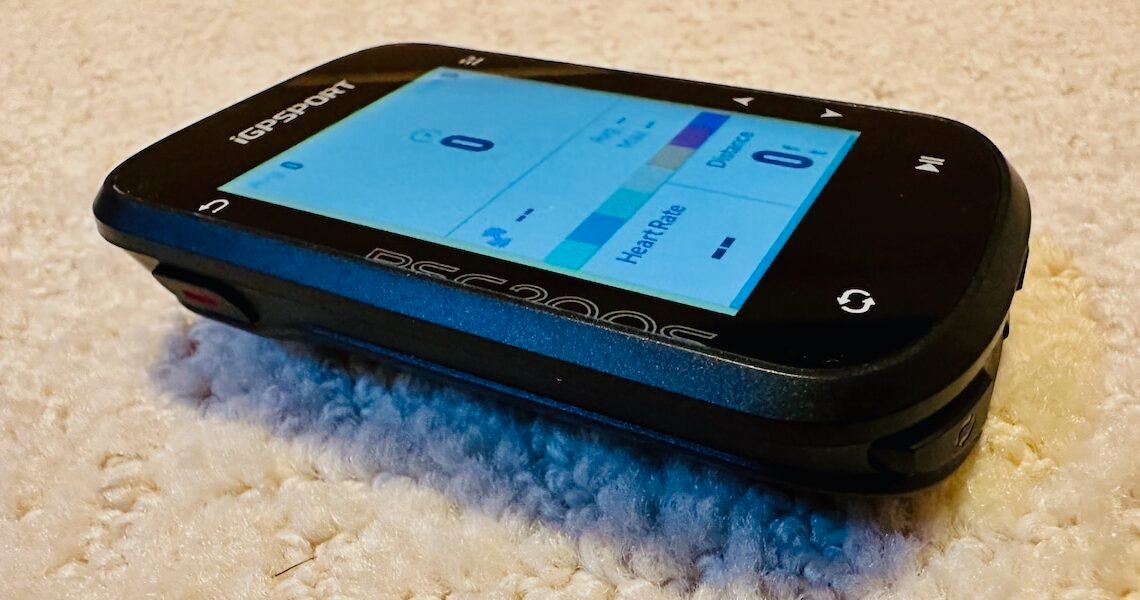

Not every ride needs turn-by-turn navigation, full-color maps, and a price tag that rivals your wheelset. Sometimes, simple just works—and works well. The iGPSPORT BSC200S strips things back to the essentials, delivering the core data most riders actually use—speed, distance, heart rate, and power—at a price that’s hard to ignore. At just $79.90, it’s aimed squarely at riders who want reliable performance without the tech overload, proving that you don’t need to spend big to ride smart.
iGPSPORT BSC200S – $79.90


One gram lighter than spec
Chuck sez: PEZ readers may remember the iGPSPORT BiNavi bike computer that I previoiusly reviewed. One thing I said was: The truth is that down here in the Lowcountry, I don’t really have a use for all off the BiNavi’s navigation features because the road system that’s bike-rideable is relatively limited and I don’t need the navigation features to get around/find my way around. Plus it’s virtually impossible to get lost. That said, I love the BiNavi and use it regularly (although not exclusively), but if all you need is a more “basic” bike computer and/or don’t want to spend top dollar (perhaps you’re on a budget), the iGPSPORT BSC200S could be the ‘droids you’re looking for.
BTW, if you’re wondering what iGPSPORT means, it’s the abbreviation for “innovation for Great Performance@SPORTS.”

What you get in the box: iGPSPORT BSC200S bike computer, rubber band mount, quick start manual
BTW, it’s worth noting that you don’t get a charging cord (you’ll need to supply your own USB-C charging cord — if you’re like me, you have more cords lying around than you know what to do with). You also don’t get a fancy out-front mount (the iGPSPORT BCS200S uses a Garmin-style quarter-turn mount). In my case, my bikes already have mounts so not a big deal.

USB-C charging port, but you’ll need your own charging cord
 Garmin-style quarter-turn mount

If you already have a Garmin-style mount on your bike, you’ll be good to go
I’m not going to go through all the different in’s and out’s of the iGPSPORT BSC200S because this isn’t intended as in-depth review. Suffice to say that — as with almost any electronic device — there’s some set up (with a bit of a learning curve, but not a steep one when it comes to the BSC200S). Some of the set up needs to be done on the unit itself.

Six different control buttons to navigate on the BSC200S: (1) Short press to power on/go back/enter the status page; long press to power off. (2) Lap button/quick settings. (3) Ride start/pause button. (4) Switch down/right. (5) Switch up/left. (6) Select/go to ride menu.
But you won’t be able to do everything on the BSC200S unit itself. You’ll need to download the iGPSPORT app (both iOS and Android) and pair the BSC200S with your phone. One of the first things you should do is update the firmware. And you’ll use the app to configure the BSC200S to your liking. I won’t walk you though all the details, but it will be very similar to what I did for the IGPSPORT BiNavi. NOTE: You use the BSC200S unit to add sensors.
 Use the IGPSPORT phone app to connect to and manage your iGPSPORT device

To use the BSC200S unit to configure setting, e.g., add sensors): Use the bottom right side buttons (green arrows) to scroll and then press the top right side button (red arrow) to select
Riding with the iGPSPORT BSC200S is pretty much like riding with any other bike computer:
- Turn it on (top left side button)
- Scroll to Ride Mode (bottom right side buttons)
- Select Ride Mode (bottom right button)
- Start the ride (bottom right button)
- If you’ve enabled auto start, you can just start riding. Otherwise, press the bottom right button to start the ride)
- At the end of your ride, press the top right side button and then press it again to select save
- When both the BSC200S and your phone are connected to your network, your ride will automatically sync with whatever apps, e.g., Strava, you’ve linked to on the iGPSPORT app

Turn the BCS200S on (top left side button – red arrow), Ride Mode will be the default selection, and push the bottom right button (green arrow) to go to the main riding page to start riding

My one (and only) screen/page on the BCS200S is pretty basic (top to bottom): Speed Ring (I like that it displays average speed), Power Zones, Heart Rate, Distance
NOTE: I chose to turn off all the other pages because I don’t really need them for riding in the Lowcountry, i.e., there’s no point in having a dedication elevation data page when the riding is flat, flat, flat. Plus the map page on the BCS200S doesn’t have maps; it just displays the route you’re riding (if you’re using navigation, which I don’t really need and, if I did, I would be riding with the iGPSPORT BiNavi).

Calling it a map page is a bit of a misnomer since there isn’t a map
I said at the top that if all you need is a more “basic” bike computer, the iGPSPORT BSC200S could be the ‘droids you’re looking for. If you don’t need all the bells and whistles (in particular, actual maps and navigation via maps), the BSC200S does the job of tracking what I consider the most “important” data, i.e., speed, distance, cadence, heart rate, power. The tradeoff is that the BSC200S’s smaller screen means you’ll have to decide on the page configuration that best suits your needs for your primary riding screen. If you’re a data hog/geek, you may need more than one screen to capture everything, e.g., separate screens for more detailed elevation data, power data, etc. And you’ll have to make do with navigating on the BSC200S via its different buttons rather than touchscreen. But these are more like first world problems and IMHO a fair tradeoff for a third or a fourth of the cost of more “high end” bike computers.

I’ll admit that my aging eyes prefer the larger screen real estate of the BiNavi (right), but if you prefer a smaller format, the BSC200S (left) has a bright color screen
Quick Take
Best for: Riders who want essential data without the cost
Price: $79.90
Standout Feature: Full sensor support at a budget price
Big Tradeoff: No true map-based navigation
Pros & Cons
 Pros
Pros
Excellent value under $100
Tracks all key metrics (speed, HR, cadence, power)
Lightweight, compact design
Easy setup with app integration
Garmin-style mount compatibility
Reliable auto-sync with apps like Strava
 Cons
Cons
No true maps (breadcrumb-style navigation only)
Small screen limits data visibility
Button-based navigation (no touchscreen)
Charging cable not included
The PEZ SEz Verdict
The iGPSPORT BSC200S doesn’t try to compete with top-end head units—and that’s exactly why it works. It focuses on what matters most: delivering accurate ride data in a simple, reliable package at a price that makes you wonder why you’d spend three or four times more. Sure, you give up maps, touchscreen controls, and a bit of screen real estate—but for many riders, that’s a fair trade. If your riding doesn’t require full navigation and you just want a no-nonsense computer that gets the job done, the BSC200S might be one of the smartest buys out there right now.
The post iGPSPORT BSC200S Review: Budget Bike Computer That Delivers Big Value at $79 appeared first on PezCycling News.